We use cookies
We use cookies and similar technologies to enhance your browsing experience, analyze site traffic, and personalize content and ads. By clicking "Accept", you consent to our use of cookies. Learn more in our Privacy Policy.
The whole of SQLite,
in your pocket.
Open any .db file, browse tables, run real SQL queries, design schemas — and actually learn SQL along the way. Free, offline, no account.
Free on Android · Works fully offline · No sign-up
Not a viewer. A database studio.
Everything you'd reach for on a desktop SQLite tool — the editor, the schema designer, the ER diagram — rebuilt for a phone that stays in your hand.
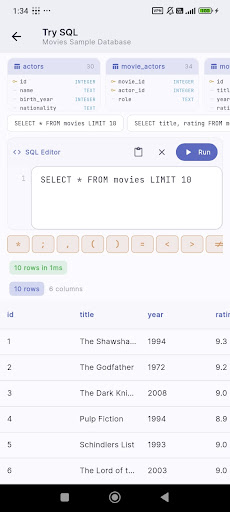
Run real SQL, instantly
A full editor with a Run button and sample databases. Write SELECT, JOIN, GROUP BY — see rows in milliseconds.
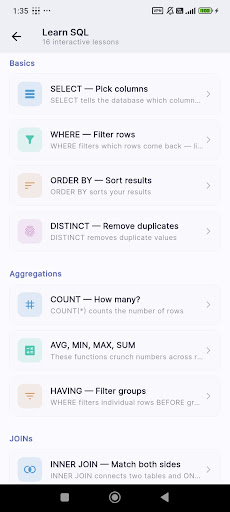
Learn SQL, built in
16 interactive lessons in plain English — from SELECT and WHERE to JOINs and aggregations. Practice as you read.
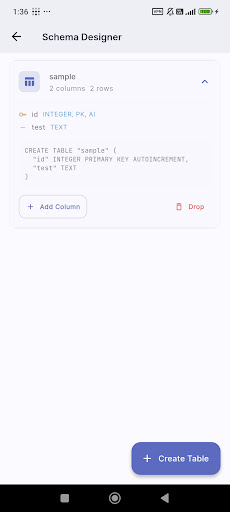
Design schemas visually
Create tables, set types, keys and constraints — no DDL to memorise. The app writes the CREATE TABLE for you.
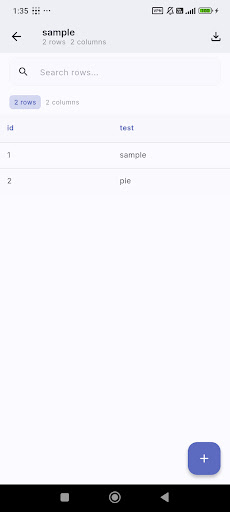
Browse tables like a pro
Open any .db or .sqlite file and scroll clean, searchable rows. Tap a cell to inspect or edit in place.
Rated 5.0 on Google Play
Loved by students learning SQL and developers shipping apps.
“Is it seriously so hard to build a working SQLite client for Android?! This is the first one I've found that just WORKS flawlessly. Actually opens my db files, actually lets me interact with the fields, and it's PRETTY! with a nice UI. Thank you! 6 stars.”
I don't have a laptop, so this SQL app has been really helpful for me. It's great for learning and practicing SQL anytime, anywhere. The lessons are easy to follow, and the practice features make it simple to improve step by step. I would definitely recommend this app to anyone who wants to learn SQL, especially if you're using just a phone like me. Really useful and convenient!
Questions, answered
Put SQL in your pocket.
Free to download. No account, no subscription, no connection needed. Open a database and start querying in seconds.