
About Image to SVG Converter, Viewer
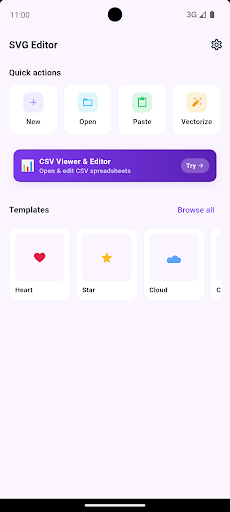
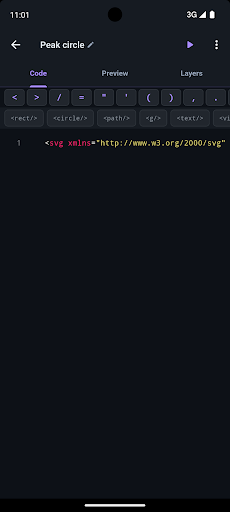
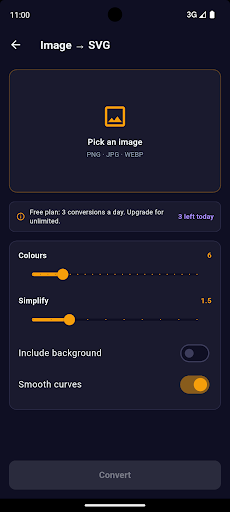
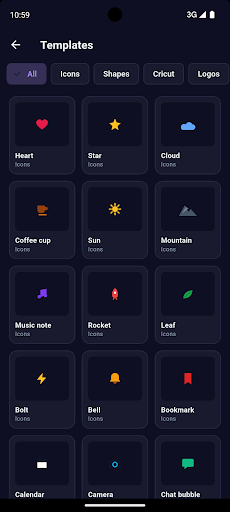
SVG Editor — Image to Vector is a full vector graphics toolkit for Android. It combines a canvas-based SVG editor with a powerful on-device image vectorizer, so you can create, convert, and export vector files without ever touching a laptop. Import a PNG or JPG and the app traces it into a clean SVG with adjustable color depth and path smoothness — entirely offline. The canvas editor lets you move, resize, rotate, and style elements, add text and shapes, and manage layers for complex designs. The 50+ templates gallery means you can start from a polished base instead of a blank canvas. Cricut users get dedicated export presets that produce Design Space-compatible SVG files without manual cleanup. Everything runs on your device — no server, no subscription required to get started.
See it in action
Everything You Need
On-Device Image Vectorizer
Convert PNG and JPG images to SVG entirely on your phone. Adjust color depth, path detail, and smoothness. No upload, no cloud.
SVG Canvas Editor
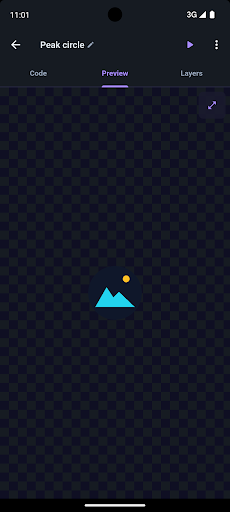
Move, resize, rotate, and style SVG elements on an interactive canvas. Add text, shapes, and paths. Undo/redo everything.
Cricut Export Presets
Export SVG files formatted for Cricut Design Space. Proper layer naming and path structure means your cut files work first time.
50+ Templates Gallery
Browse a library of 50+ professionally designed SVG templates. Pick one, customize it, and export — from idea to finished vector in minutes.
Layer Management
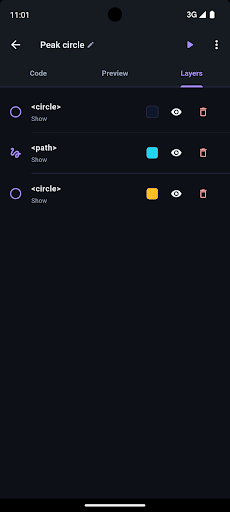
Organize complex designs with named layers. Reorder, show, hide, and lock layers to keep your artwork clean and editable.
Fully Offline
The entire app — editor, vectorizer, templates — works without an internet connection. Your files never leave your device.
Ready to Try Image to SVG Converter, Viewer?
Free to download. No account required. Available on Android.
Frequently Asked Questions
More from Cosmovex
Explore our other developer tools

WebEva: Build Websites & Code
Web DevelopmentBuild websites from your phone.

Aspenote: Offline Voice to Text
ProductivityIt writes it down. On your phone.

HostPilot: PHP Server & SQL
Developer ToolsTurn your phone into a web server.

DevBuddy: Offline Dev Toolkit
Developer ToolsYour pocket developer toolkit.

ShellPilot - Batch SSH Client
DevOps & ServersSSH terminal & SFTP on the go.
API Client -REST & HTTP Tester
API TestingTest APIs anywhere, anytime.

HTML Viewer & Editor - Code
Code EditorView & edit HTML on mobile.

JSON Editor - Viewer & Format
Data ToolsView, edit & format JSON instantly.
SQLite Editor & SQL Learner
Data ToolsManage SQLite databases on mobile.

Python IDE - Offline Compiler
Code EditorWrite and run Python on your phone.

Java & Kotlin Compiler IDE
Code EditorWrite and run Java on your phone.
PDF Viewer & Editor - AI
ProductivityEdit, convert & sign PDFs on mobile.

XML Viewer & Editor
Data ToolsView, edit & validate XML on mobile.

Open CSV — Viewer & Editor
Data ToolsOpen and edit CSV files on mobile.

JavaScript Editor — React IDE
Code EditorRun JavaScript and React on your phone.

YAML / YML Viewer & Editor
Data ToolsView, edit & validate YAML instantly.

Markdown Editor & MD Viewer
Text EditorWrite and preview Markdown on mobile.

Network Toolkit: WiFi IP Tools
Network ToolsNetwork utilities and diagnostic tools.

Code Editor - Text & Notepad
Text EditorEdit text files on mobile.
C / C++ Compiler IDE
Developer ToolsCompile & run C and C++ on your phone.

Diagram Maker: Flow & ERD
Design ToolsDraw flowcharts & ERDs on mobile.

QR Scanner & Generator
ToolsScan codes with confidence

Zip Extractor — Unzip RAR 7Z
ToolsOpen ZIP, RAR, and 7Z files

PromptCrate: AI Prompt Manager
ProductivityYour personal AI prompt library

AgentPager · Claude Code Codex
Developer ToolsYour coding agents, paged to your phone.